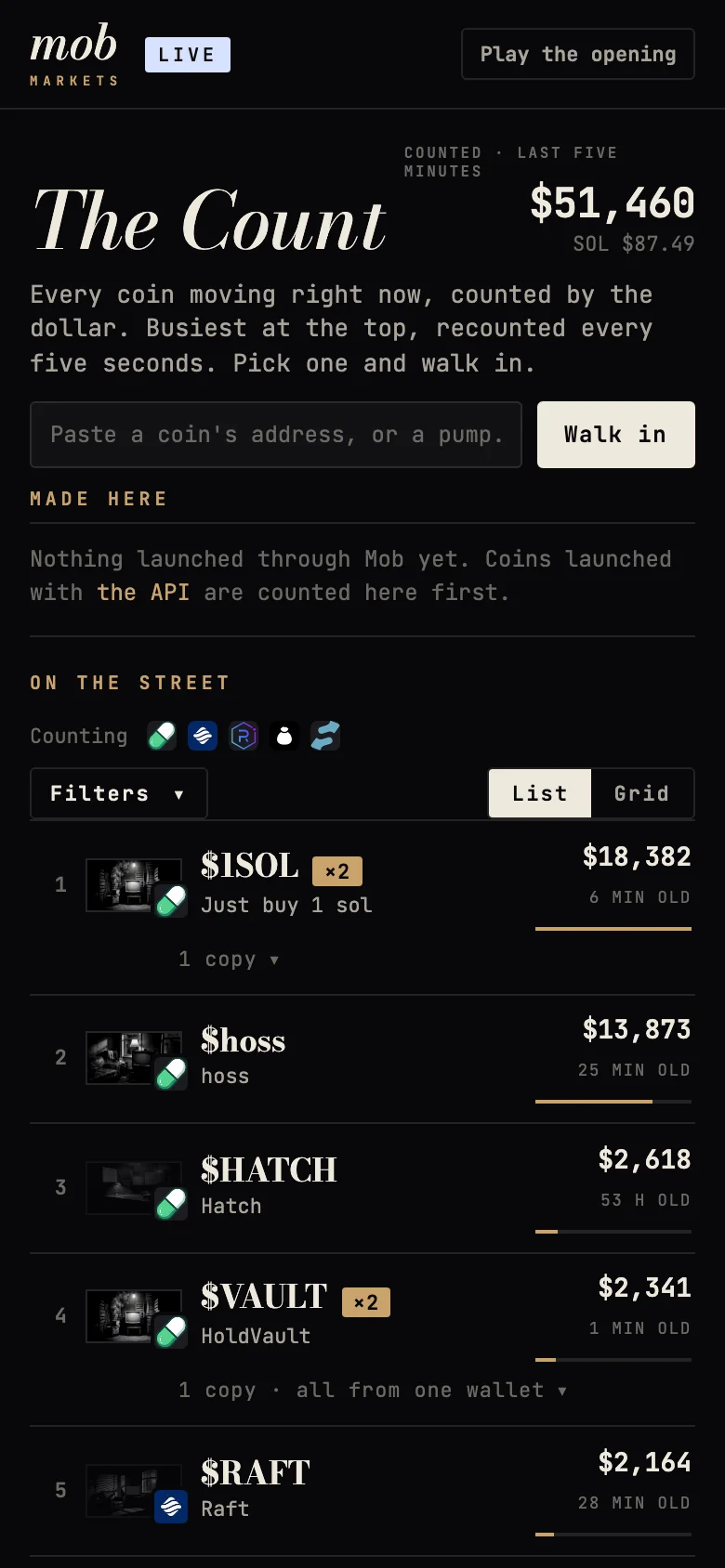
What "counted" means
Counted is the dollar value traded in a coin over the last five minutes, buys and sells together. The Count recounts every five seconds and re-sorts, so the busiest coin is always on top. The big number at the top of the page is the total counted across every coin listed.
| Where the coin trades | How it's counted |
|---|---|
| pump.fun (coins in their first half hour) | Every trade, read from Mob's own feed, in SOL converted at the live SOL price |
| Raydium LaunchLab and the launchpads built on it (Float, bonk and others) | The growth of the coin's running volume, as reported by Raydium |
| Everywhere else (Bags, Meteora, Stonk, Jup Studio, older pump.fun coins) | Five-minute buy and sell volume, from Jupiter's token data |
Clean money, and the spin cycle
Some volume isn't trading. It's the same money going in and straight back out: one wallet buying and selling over and over, or several wallets paid for by the same funder trading with each other. The Count only ranks the clean money.
- What's counted as spin: whatever a wallet, or a group of wallets with one funder, both bought and sold in the five minutes, when it bought and sold at least twice each way, or when the group has more than one wallet. A single buy followed by a sell is ordinary trading and stays clean. Funders behind more than 50 wallets, such as exchanges, don't group anyone.
- Spin cycle: a coin is tagged with the drum when at least 60% of its last five minutes was spin. Hover over the tag, or over its count, to see the split.
- Facts only: we never name a wallet or say why it traded, and nothing is hidden. A coin stays on the Count, ranked on its clean money. The tag goes away once real trading takes over.
- Same rule for every coin, Mob's own included.
- Not checked: for coins we only know from Jupiter or Raydium's lists, we see totals but not who traded. Their count is everything traded, and hovering says so.
Reading a row
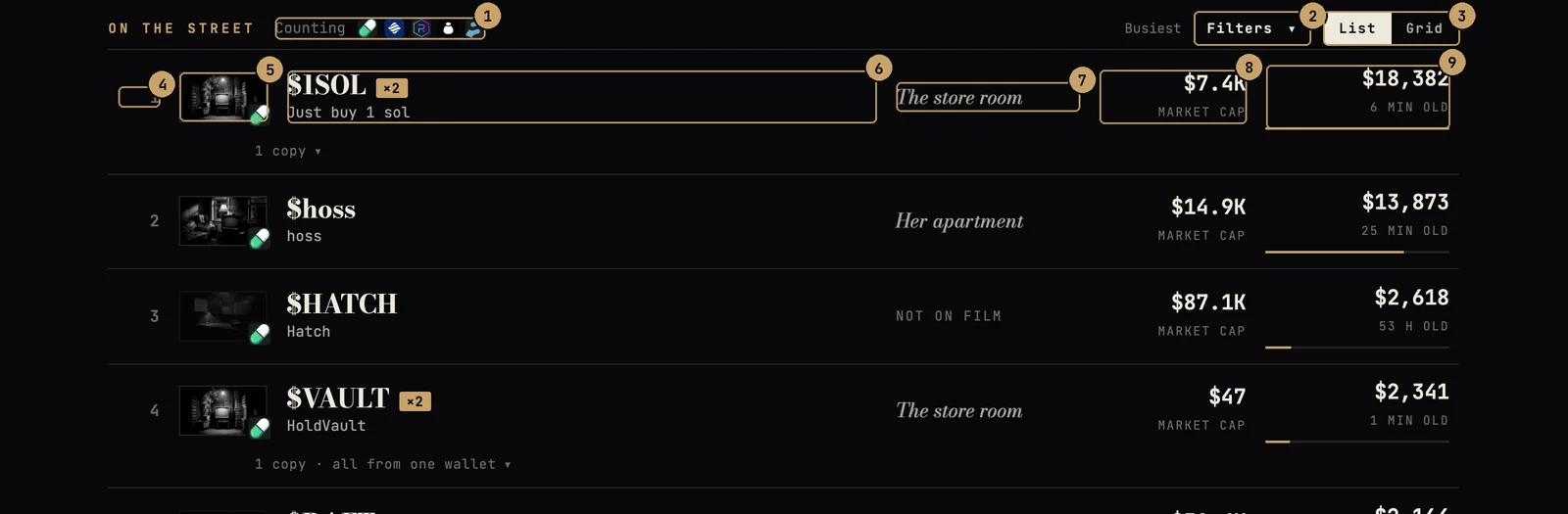
- Launchpads being counted
- Filters
- List or Grid
- Rank
- The room it's in, with its launchpad
- Ticker and name
- Room, or Not on film
- Market cap
- Counted: dollars traded in the last 5 minutes
A few details worth knowing:
- The thumbnail is the room the coin's film is in right now, and the small logo on its corner is the launchpad it lives on.
- "Not on film" means Mob has no picture for this coin: either Mob didn't see it launch (every launchpad except pump.fun), or it's past the half hour Mob films. Hover the label for which. These coins still have a page with their numbers. See case files.
- ▲3 beside a rank means the coin just climbed three places.
- The bar under the counted figure is the coin's share against the busiest coin in view.
Grid view
Switch to Grid to see each coin on its own small screen, with a line tracing its volume recount by recount. Mob remembers which view you chose.
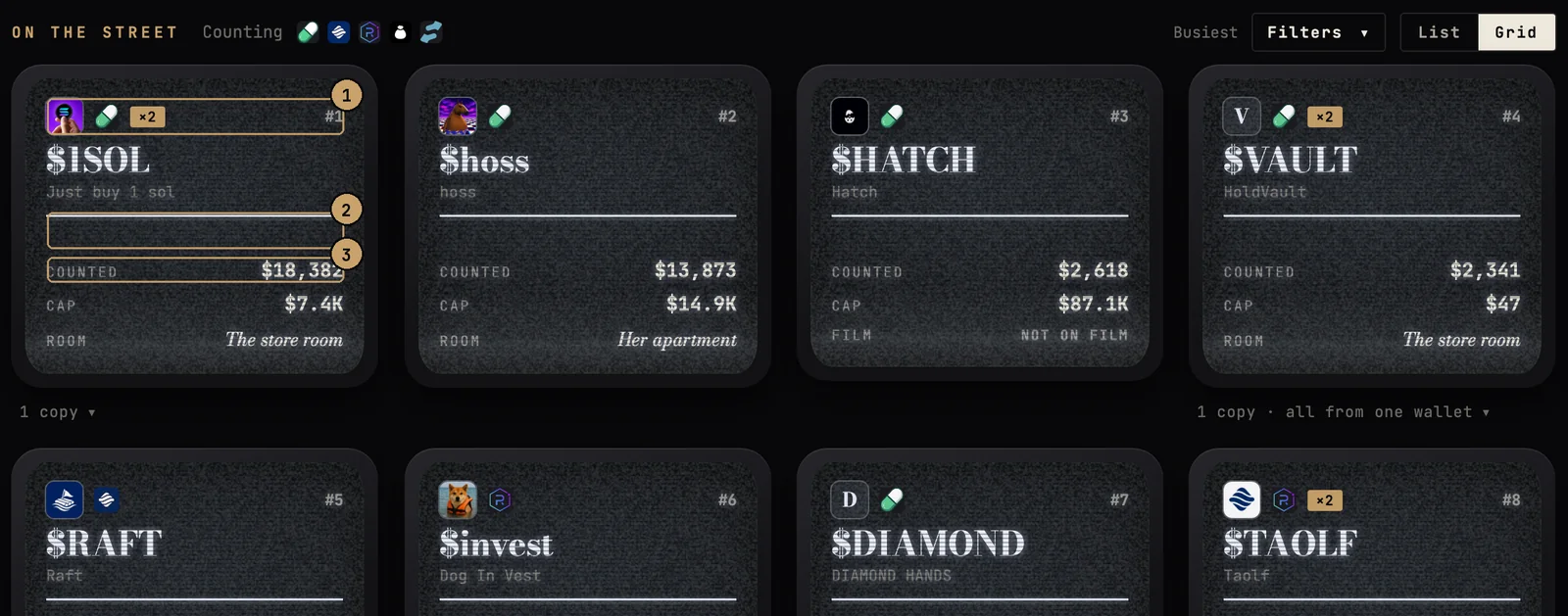
- The coin's logo and launchpad
- Recent volume, recount by recount
- Counted, cap and room
Themes: copycats rolled up
When a coin catches on, copies follow within minutes, often from the same wallet. Mob rolls them into one entry so the list shows more distinct coins. Two coins join the same theme when any of these match:
- the ticker, once look-alike letters, case, punctuation and a trailing number are stripped (so
BULLCA𝖳andbullcat2are the same); - the name, the same way, for names of five letters or more;
- the metadata link, or the picture.
The entry shows the copy that's out in front, ranked by everything the theme has counted together. The gold ×N says how many coins are in it. Open the line underneath to see each copy's address, its own volume and a link to its page. When several copies were deployed by one wallet, or wallets funded by one wallet, the line says so: that's a farm.

- How many coins share this name or picture
- The copies, and whether one wallet made them
- Each copy: its address, volume and page
Filters and feeds
Open Filters to change what the Count shows. Everything is applied as you tap it; the summary next to the button says what's on.
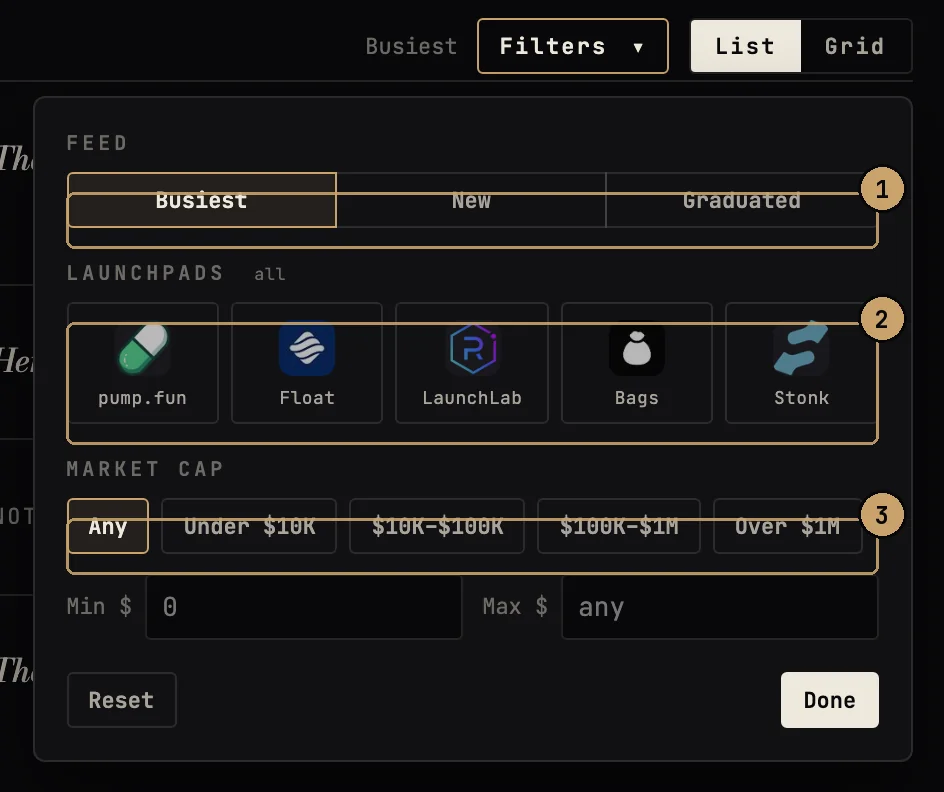
- Feed: Busiest, New, Graduated
- Launchpads (pick any)
- Market cap range
| Filter | What it does |
|---|---|
| Busiest (default) | Every coin, by dollars counted in the last five minutes. |
| New | The newest launches first, whatever their volume. |
| Graduated | Only coins that finished their launch curve and moved to a full market. |
| Launchpads | Tap any number of logos to keep only those launchpads. None picked means all. |
| Market cap | Presets (under $10K up to over $1M), or type your own minimum and maximum. |
Finding one coin
Paste a coin's address into the box under the headline, or a link that carries one (a pump.fun, Solscan or Jupiter page), and press Walk in. If Mob has no record of it, it says so; that usually means you pasted a pool, a pair or a wallet address instead of the coin's own.
Coins you've opened before appear under the box as Recently watched, newest first, five at most. When you come back after a while, a short note tells you what changed at the top.
Made here
The Made here section above the street lists coins launched through Mob itself. Those are counted first.
On a phone
The Count is the same on a phone, compressed so the coins start on the first screen. Filters open as a sheet from the bottom.