How it works
- Open Buy & sellFrom the menu, or the Buy or sell button on the film's card.
- Connect your walletPhantom, Solflare, Backpack and other Solana wallets appear as buttons. Mob asks only to see your address.
- Choose an amountBuying: type SOL or tap 0.05, 0.1, 0.25, 0.5 or 1. Selling: 25%, 50%, 75% or All of what you hold.
- Read the quoteWhat you'd get, how much your trade moves the price (impact) and the fee. It refreshes as you type and every 15 seconds.
- Approve in your walletThe price is fixed when you sign. Nothing moves until you approve it in your wallet.
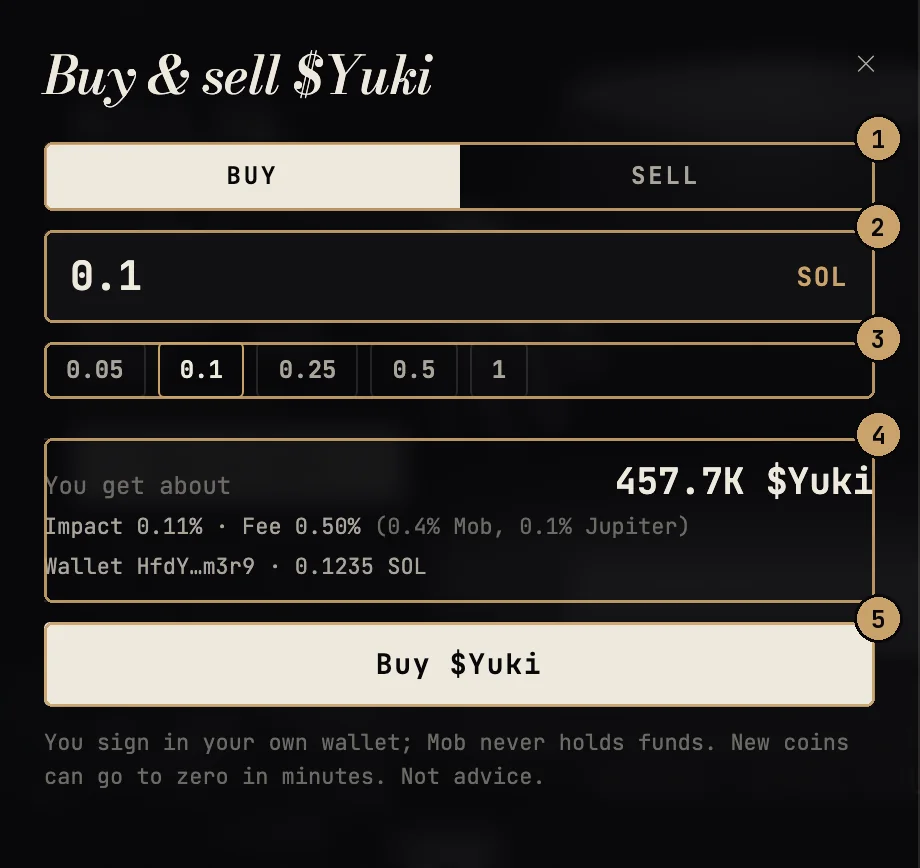
- Buy or sell
- How much SOL
- Quick amounts
- What you'd get, price impact and the fee
- You approve it in your wallet
The fee
Each swap carries a 0.5% fee, taken in SOL as part of the swap: 0.4% to Mob, 0.1% to Jupiter. It's shown on every quote. Network fees are separate and shown by your wallet.
Price impact
On a new coin with little liquidity, even a small buy moves the price. Impact tells you how much. Above a few percent, think about a smaller amount.
Slippage
The price can move between the quote and your signature. Jupiter limits how far; if it moves further, the swap fails rather than filling at a worse price.
On a phone
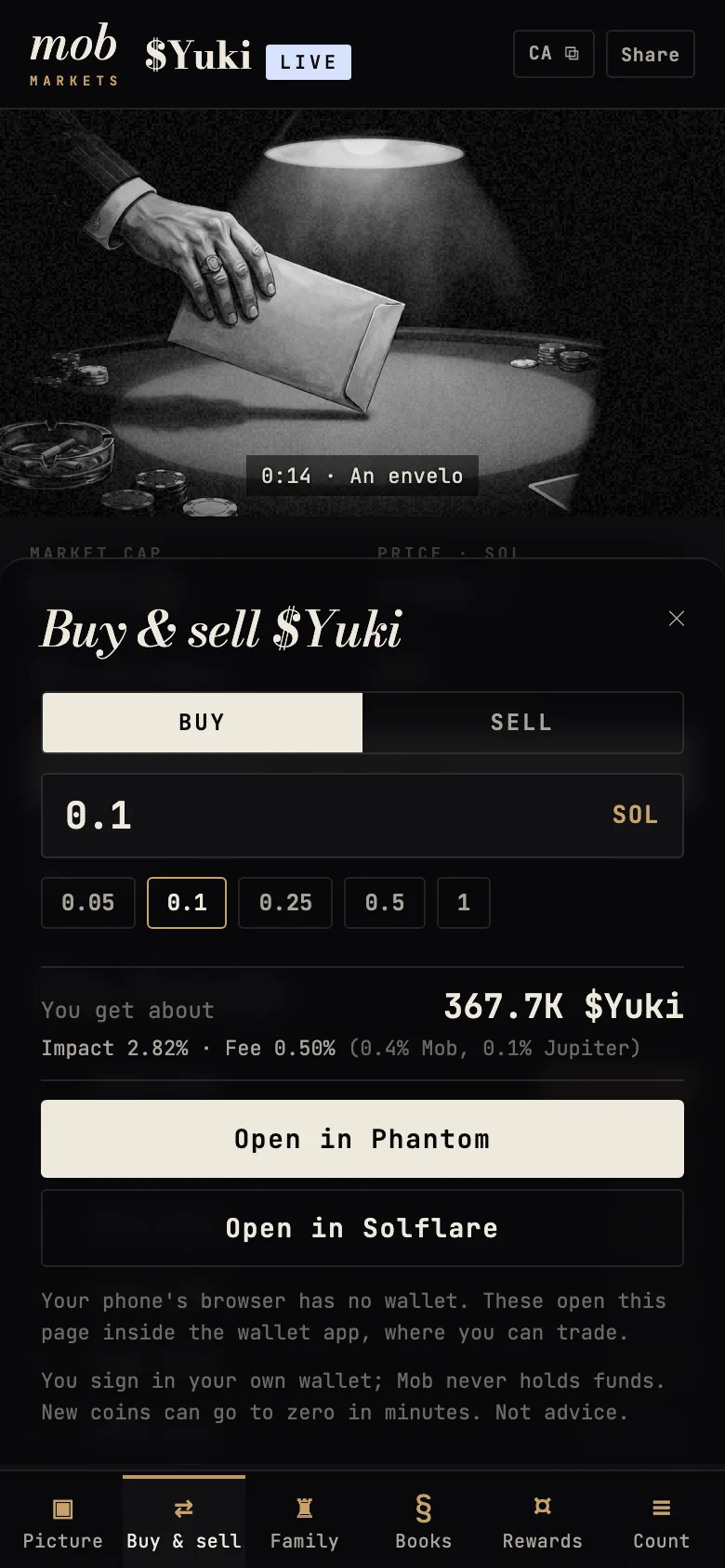
A phone's regular browser has no wallet in it. On a phone, the panel offers Open in Phantom and Open in Solflare instead: each reopens the same coin page inside that wallet's own browser, where you can connect and trade.
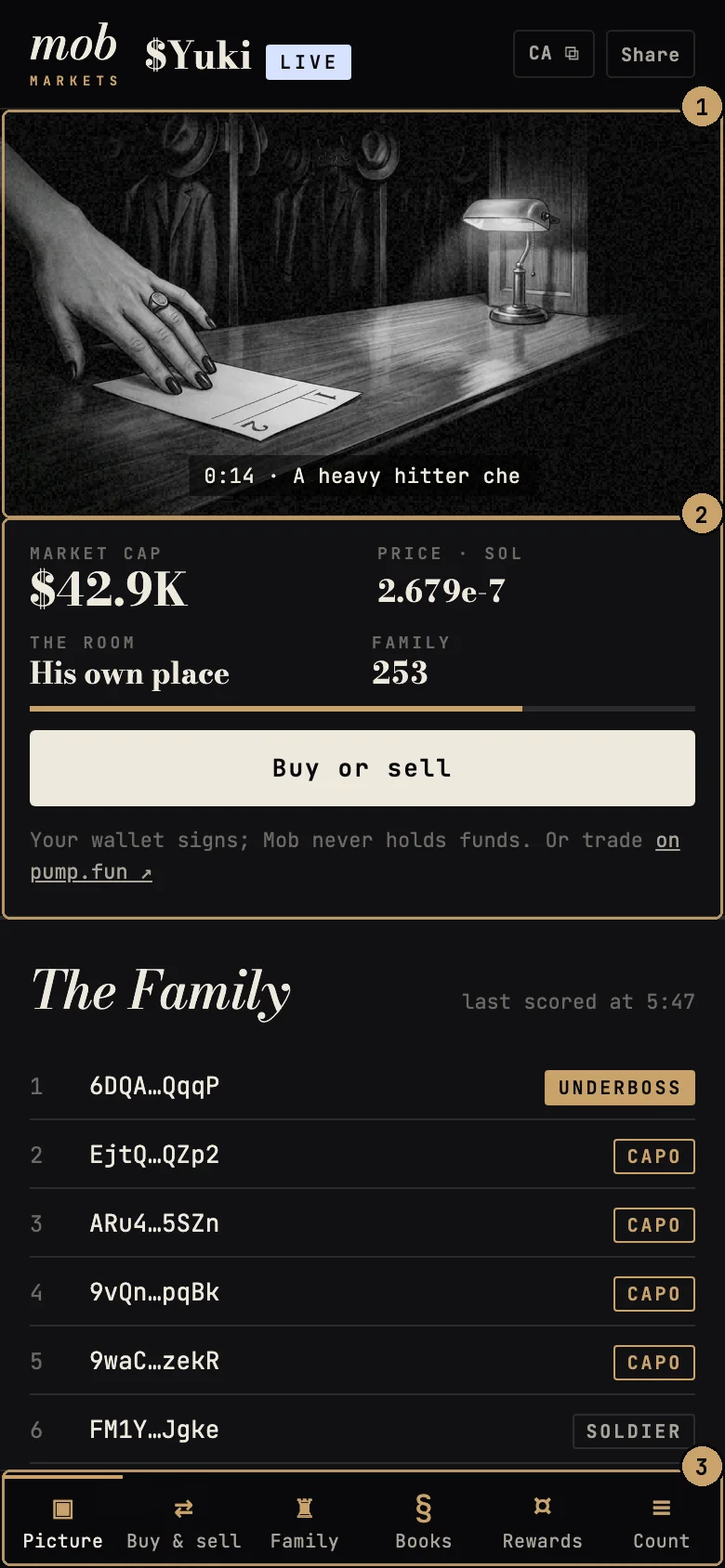
- The film
- The numbers
- Every tool, one tap away
What the messages mean
| You see | It means |
|---|---|
| Nothing was signed. | You declined in your wallet. Nothing happened and nothing was spent. |
| Done. You got … | The swap landed. A note with View tx opens it on Solscan. |
| The swap didn't go through | The network or Jupiter refused it, most often because the price moved past the limit or your balance was short. Try again; nothing was spent except possibly the network fee. |
| No Solana wallet found | This browser has no wallet extension. Install one, or use the open-in-wallet buttons on a phone. |